
Webflow tips and tricks for beginners
14 November 2024


The popularity of Webflow is rapidly growing, as it allows for both code-free development and creative freedom for users. Whether you’re a beginner or an experienced web developer, these tips and tricks will help you use the platform even more effectively and truly make the most of your website.
Table of Contents
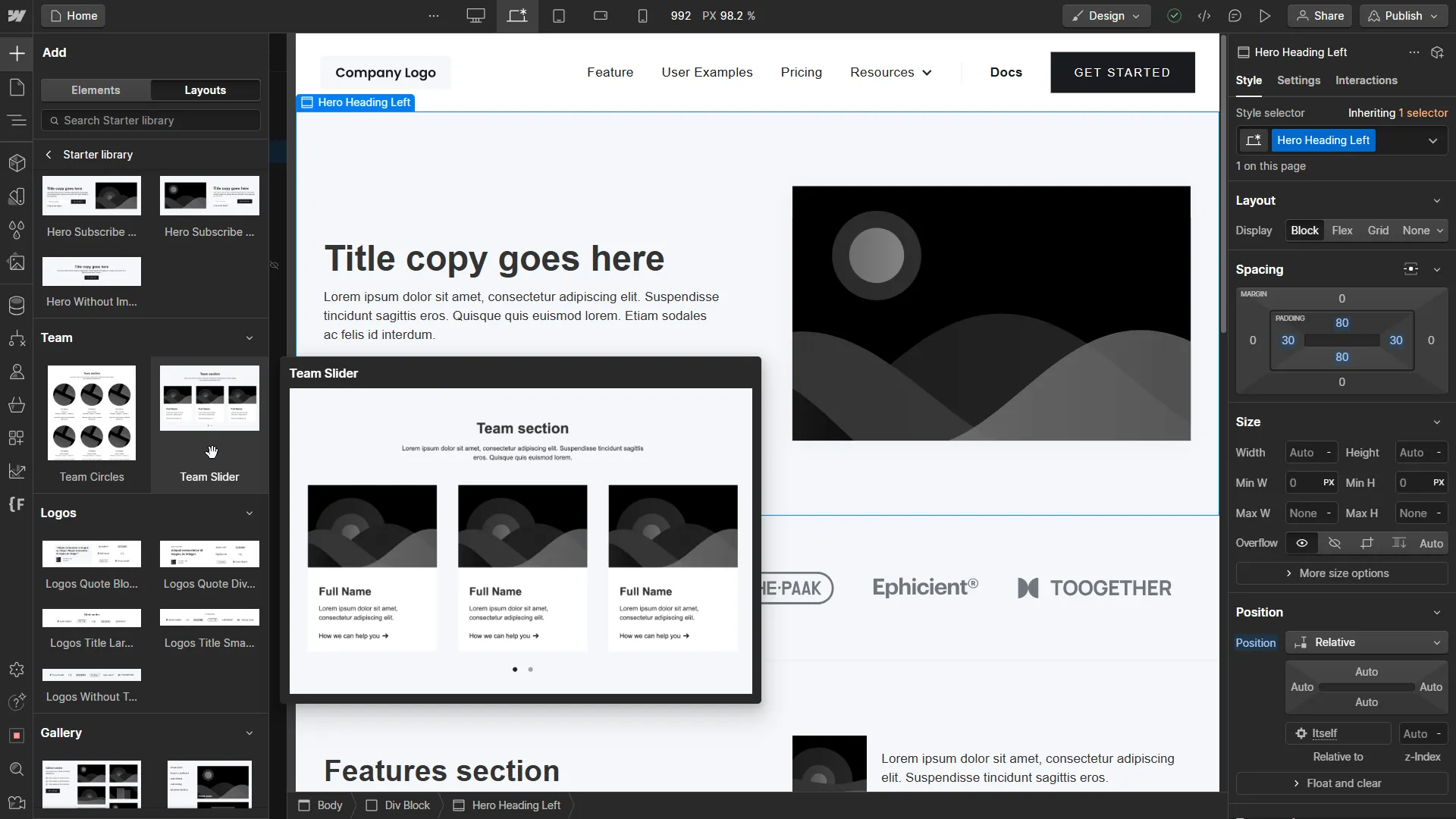
Take advantage of Webflow templates and pre-configured elements
For beginners, Webflow templates provide an ideal starting point. Templates speed up the workflow, as they come with pre-configured elements (like headers, footers, or sidebars) that make setting up your website’s structure simpler. These elements are easy to customize, enabling you to create a personalized, professional-looking website in less time. More experienced users can draw inspiration from these pre-set elements and build their websites from scratch, customizing them to their specific needs.
Add animations and interactions
Webflow allows you to make your website dynamic by incorporating animations and interactions. Animations not only make your site more visually appealing but also enhance interactivity, improving the user experience. Beginners are recommended to start with Webflow’s “Interactions” toolkit, which provides pre-configured animations. Advanced users can make use of fine-tuned animation settings, allowing them to easily implement their own creative ideas. With these tools, you can add hover effects, scroll animations, or complex interactions to your website.
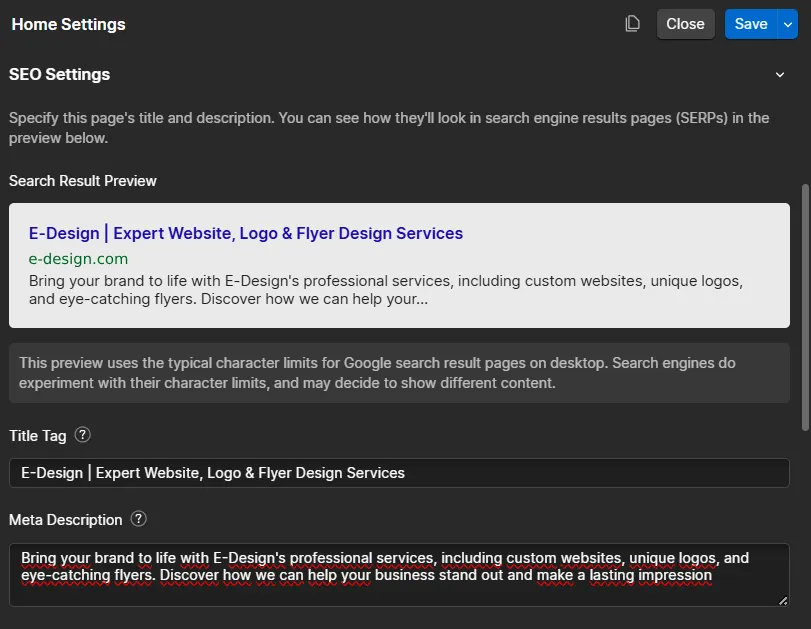
Content structure and SEO – start with the basics
Webflow provides an SEO-friendly interface, giving you access to all the essential SEO settings in one place. As a beginner, pay attention to clear, keyword-rich titles, descriptions, and URLs, as these help search engines understand your site’s content. Advanced users may want to generate an XML sitemap and fine-tune Webflow’s internal SEO settings, which make the site more accessible to search engines. Structured content and SEO-friendly URLs help improve ranking and boost site traffic.
Use custom code for greater flexibility
Webflow is especially useful for those who want to build websites without coding but also allows advanced users to add custom code. This option enables you to integrate features that wouldn’t be possible with Webflow’s native tools. By adding custom HTML, CSS, or JavaScript, you can include unique buttons, effects, or custom forms on your site. This way, Webflow sites can include complex developments, making it an ideal choice for developers seeking flexibility.
Make the most of Webflow’s CMS capabilities
With Webflow’s content management system (CMS), you can store and manage your content in a structured way, making blog posts, projects, or product catalogs easy to edit and organize. Beginners can quickly get the hang of it, as it functions as a simplified CMS with visual editing options. Advanced users can also create custom fields, allowing for fully customizable content displays.
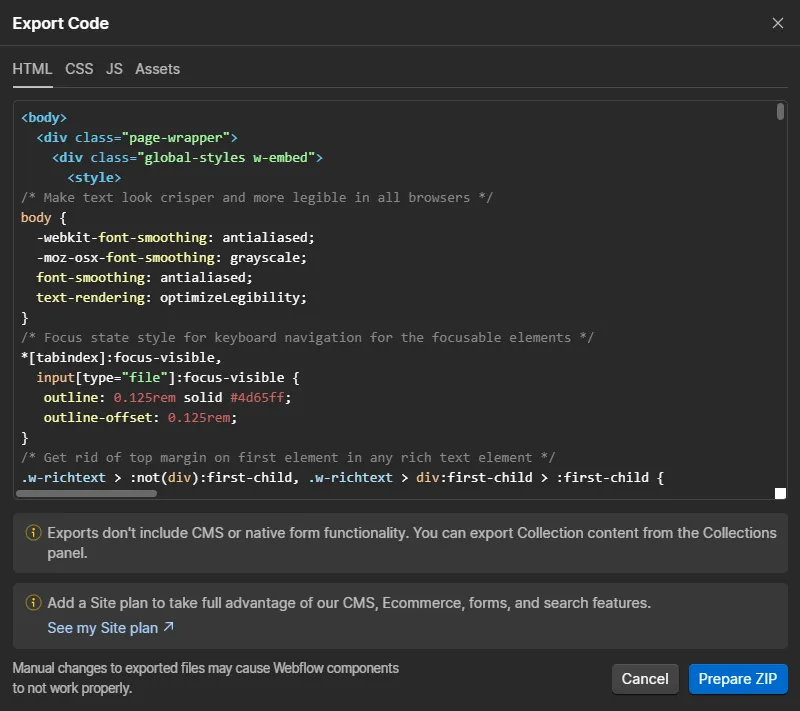
Export and hosting – choose the best hosting solution
Webflow offers its own hosting service, providing fast and stable performance, but you can also export your site’s code if you prefer to use a different hosting provider. For beginners, Webflow hosting is ideal for its simplicity and maintenance-free operation, as all updates happen automatically. For advanced users, the export option offers flexibility, allowing them to host the site on their own server to meet specific needs.
Conclusion
Making the most of Webflow’s capabilities benefits both beginners and advanced users, as it offers fast and creative solutions at every stage of web development. From basic templates to custom code, the platform’s tools enable you to build a professional website that stands out from the competition both visually and functionally.

Erika Nyíri
Related articles



Let's bring your vision to life!
Elevate your digital presence with our expert web design and development services.
Get Started